


You need to use the in-app browser inside FurryVNE to load this character.
Simply click "Cloud > Open" to access the cloud from within the app.
(Click here to learn more about FurryVNE.)
Simply click "Cloud > Open" to access the cloud from within the app.
(Click here to learn more about FurryVNE.)
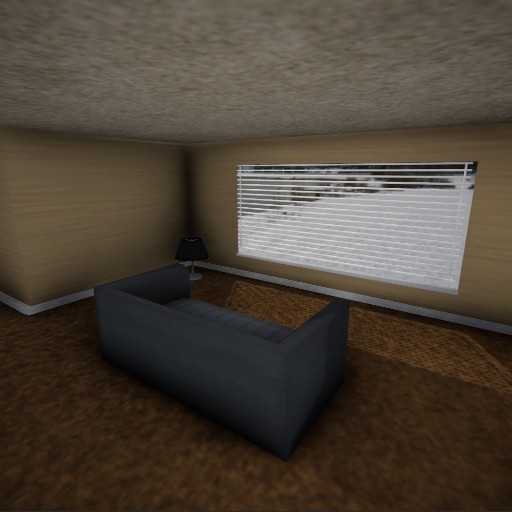
Small Low-Income Apartment
An interior for my personal project I'm working on.
It's currently a work-in-progress.
Derivatives

↑23
💬0
❤️26
 1
1
1

Looks interesting in the pictures, but would consider disabling tessellation. Would look less ballooned.
look's great in the pictures but it's looking like a balloon house when you try to use it other then that great idea love it hope you do more
Disable tessellation by navigating to
Parts -> {Part name} -> Coloration -> Shading -> Materials -> Materialand disablingAllowTessellationIf you don't disable tessellation in this way, then players who have tessellation enabled in graphics settings will see a balloon house, lol.
It also looks like you need to "mark sharp" the edges of many objects in the scene, such as doors. https://docs.blender.org/manual/en/latest/modeling/meshes/editing/edge/edge_data.html#bpy-ops-mesh-mark-sharp
Is this the man from the window house, like the horror game with the bbw bunny?
@bebo
holy shit you're right
@Ivee
Fvne don't care about sharp edges when they on clothes and with turned On tesselation
@-Vlad332_
These sharp edges are not on clothes and are on objects with tessellation disabled.