


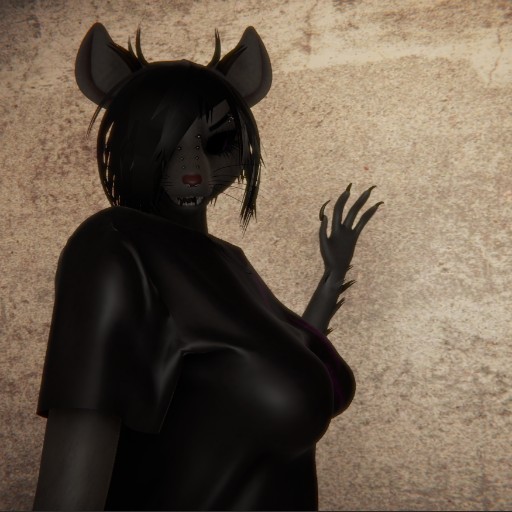
You need to use the in-app browser inside FurryVNE to load this character.
Simply click "Cloud > Open" to access the cloud from within the app.
(Click here to learn more about FurryVNE.)
Simply click "Cloud > Open" to access the cloud from within the app.
(Click here to learn more about FurryVNE.)
My character
Mouse, emo — I wanted to create a character that evokes the underground vibe.
My first attempt to add my own clothing model (so far, not very successful, but I’ll improve it in the future).

You also need to give her name in character editor so it will show her new here too instead of default "my character"